New Entity Type Registration via Excel file
It is possible to register entity types by importing an Excel template from the admin UI.
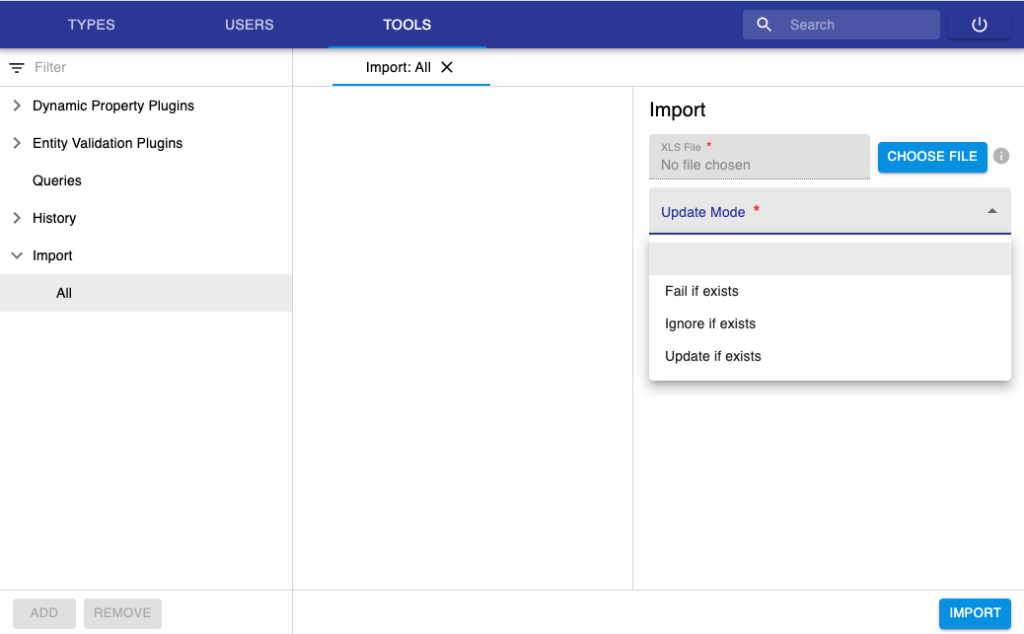
This can be done from the Import menu under the Tools section, as shown below. Three options can be chosen for the import:
fail if exists: if a type or a property already exists in the database, the upload will fail.
ignore if exists: if a type or a property already exists in the database, the upload will ignore this.
update is exists: if a type or a property already exists in the database, the upload will update existing values.
An example template of an Excel masterdata file can be found here: masterdata-template
Please note that in the template we used separate spreadsheets for each type (Object, Experiment, Dataset), but it is also possible to have everything in the same spreadsheet.
More extensive documentation on the XLS format for masterdata and metadata registration can be found here.