Properties Handled By Scripts
Introduction
One of the reasons why openBIS is easily extensible and adjustible is the concept of generic entities like objects, experiments and datasets. By adding domain specific properties to the mentioned entities, an instance administrator creates a data model specific to a given field of study. Values of configured properties will be defined by the user upon creation or update of the entities (samples etc.).
In most cases values of properties must be provided directly by the
user. The default way of handling a property in openBIS can be changed
by an instance admin defining a property that should be handled by a script
written in Jython. Jython version is configured by the
service.properties property jython-version which should be 2.7.
Types of Scripts
There is one type of plugin that can be used for handling properties and one script type to perform validations on entities:
Dynamic Property Evaluator (for properties referred to as Dynamic Properties)
for properties that can’t be modified by users,
values of such properties are evaluated automatically using metadata already stored in openBIS (e.g. values of other properties of the same entity or connected entities),
the script defines an expression or a function that returns a value for a Dynamic Property specified in the script.
Entity Validation
performed after creation or each update of an entity of a given type.
the script performs a validation, which can cancel the operation if the validation fails.
Dynamic Properties
To create a dynamic property:
In the admin UI, go to the Tools section and click on Dynamic scripts.
Click on the Add button below the menu
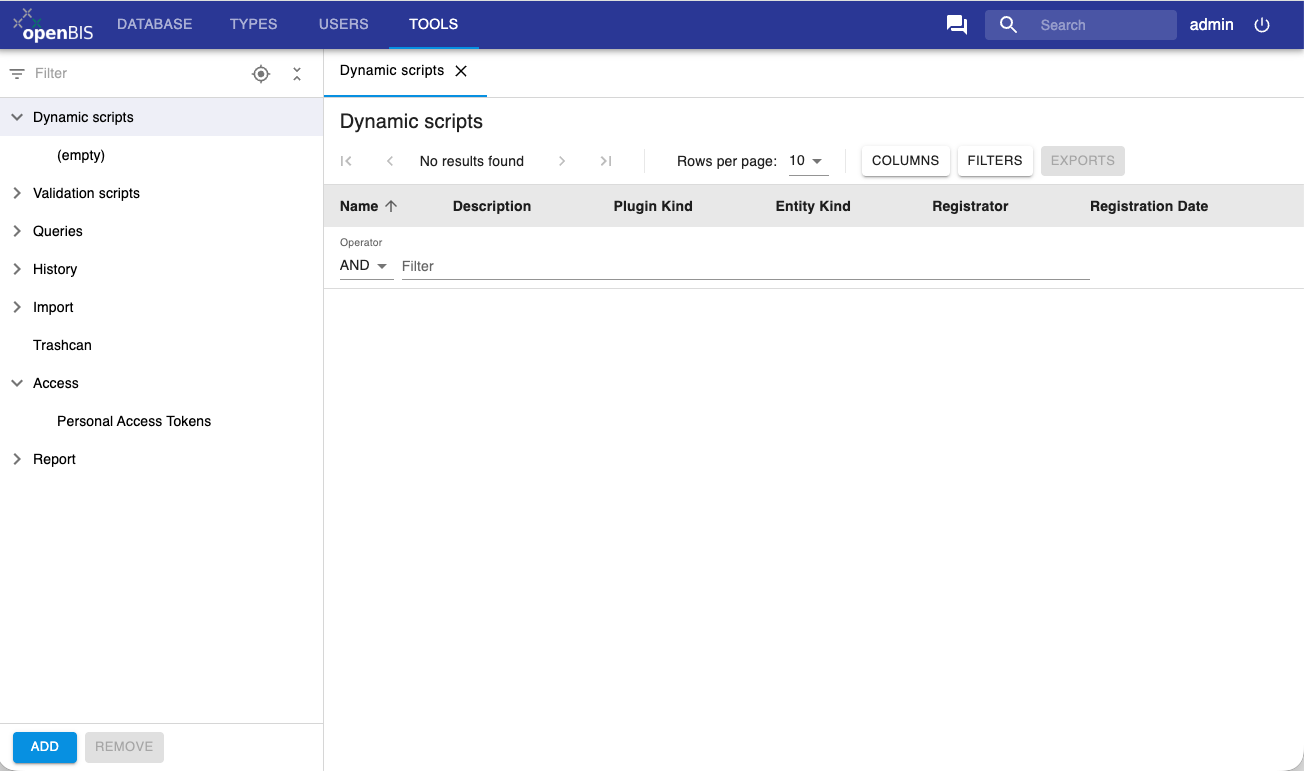
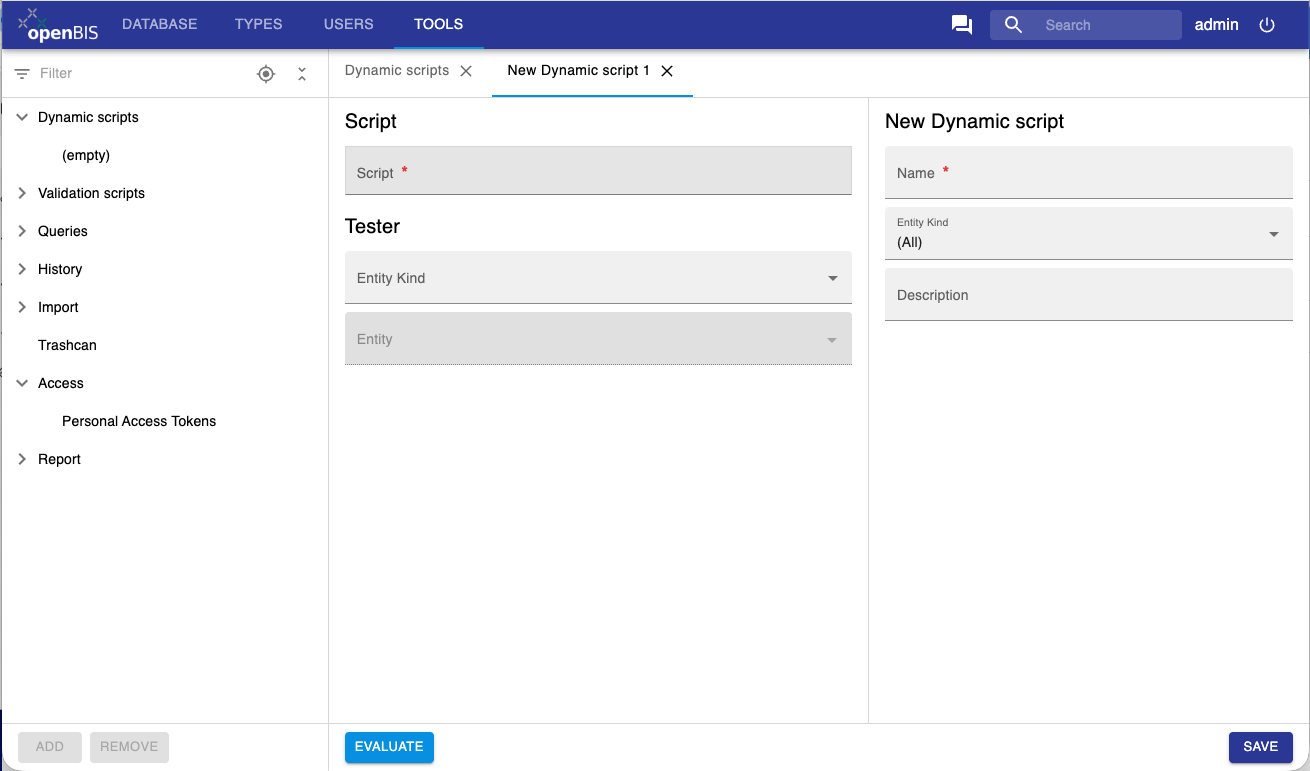
A new tab opens with different sections:
New Dynamic script:
Name: name of your script.
Entity Kind: the entity type for which the script will be used. Options are Collection, Dataset, Object. Can be left empty.
Description: you can provide a description of what the script does.
Script:
Script: write your script in this field.
Tester:
In this section you can test your script.
Entity kind: select an entity type on which you want to test your script. Options are Collection, Dataset, Object.
Entity: select a specific entity of that type on which you want to test your script.
Click Evaluate at the bottom of the page.
Writing dynamic scripts
The scripts should be written using standard Jython syntax. Dynamic properties can have more than one line of code. If the script contains only one line, it will be evaluated and used as the value of appropriate dynamic property. If on the other hand a multi line script is needed, the function named "calculate" will be expected and the the result will be used as property value.
To access the entity object from the script, use the following syntax:
entity.<requested method>
Currently available methods that can be called on all kinds of entities include:
code()property(propertyTypeCode)propertyValue(propertyTypeCode)propertyRendered(propertyTypeCode)properties()
For more details see
IEntityAdaptor
(interface implemented by entity) and
IEntityPropertyAdaptor
(interface implemented by each property).
It is also possible to acces the complete Java Object by calling
"entityPE()" method, but this is appropach is not recomended, as the
returned value is not a part of a well defined API and may change at any
point. You may use it as a workaround, in case some data are not
accessible via well defined API, but you should contact openBIS helpdesk and comunicate your needs, so the appropriate methods can be added to the official API.
Simple Examples
Show a value of a Sample property which is named ‘Multiplicity’
entity.propertyValue('Multiplicity')
Takes an existing property and multiplies the value by 1.5
float(entity.propertyValue('CONCENTRATION_ORIGINAL_ILLUMINA'))*1.5
Advanced Examples
Show all entity properties as one dynamic property:
def get_properties(e):
    """Automatically creates entity description"""
    properties = e.properties()
    if properties is None:
        return "No properties defined"
    else:
        result = ""
        for p in properties:
            result = result + "\n" + p.propertyTypeCode() + ": " + p.renderedValue()
        return result

def calculate():
    """Main script function. The result will be used as the value of appropriate dynamic property."""
    return get_properties(entity)
Calculate a new float value based some other values
import java.lang.String as String

def calculateValue():
    nM = 0
    uLDNA = 0
    if entity.propertyValue('CONCENTRATION_PREPARED_ILLUMINA') != '' and \
        entity.propertyValue('FRAGMENT_SIZE_PREPARED_ILLUMINA') != '' :
    nM =  float(entity.propertyValue('CONCENTRATION_PREPARED_ILLUMINA')) /  \
            float(entity.propertyValue('FRAGMENT_SIZE_PREPARED_ILLUMINA')) *  \
            1000000 / 650
    if float(entity.propertyValue('UL_STOCK')) !='' :
        uLDNA =  float(entity.propertyValue('UL_STOCK')) * 2 / nM
        uLEB = float(entity.propertyValue('UL_STOCK')) - uLDNA
        return String.format("%16.1f", uLEB)
    return 0

def calculate():
    """Main script function. The result will be used as the value of appropriate dynamic property."""
    return calculateValue()
Calculate a time difference between two time stamps:
from datetime import datetime
def dateTimeSplitter(openbisDate):
    dateAndTime, tz = openbisDate.rsplit(" ", 1)
    pythonDateTime = datetime.strptime(dateAndTime, "%Y-%m-%d %H:%M:%S")
    return pythonDateTime
def calculate():

    try:
    start = entity.propertyValue('FLOW_CELL_SEQUENCED_ON')
    end = entity.propertyValue('SEQUENCER_FINISHED')
    s = dateTimeSplitter(start)
    e = dateTimeSplitter(end)
    diffTime = e-s
    return str(diffTime)
    except:
    return "N/A"
Illumina NGS Low Plexity Pooling Checker: checks if the complexity of a pooled sample is good enough for a successful run:
def checkBarcodes():
    '''
    'parents' are a HashSet of SamplePropertyPE
    '''
    VOCABULARY_INDEX1 = 'BARCODE'
    VOCABULARY_INDEX2 = 'INDEX2'
    RED = set(['A','C'])
    GREEN = set(['T', 'G'])
    SUCCESS_MESSAGE="OK"
    NO_INDEX = "No Index"

    listofIndices = []
    boolList = []
    positionList = []
    returnString = " "
    for e in entity.entityPE().parents:
    for s in e.properties:
        if s.entityTypePropertyType.propertyType.simpleCode == VOCABULARY_INDEX1:
        index = s.getVocabularyTerm().code
        if len(listofIndices) > 0:
            for n in range(0,len(index)-1):
            listofIndices[n].append(index[n])
        else:
            for n in range(0,len(index)-1):
            listofIndices.append([index[n]])

        # remove any duplicates
        setofIndices=[set(list) for list in listofIndices]

        # Test whether every element in the set 's' is in the RED set
        boolList=[setofNuc.issubset(RED) for setofNuc in setofIndices]
    if boolList:
    for b in boolList:
        if b:
        positionList.append(boolList.index(b)+1)
        # set the value to False, because 'index' returns only the first occurrence
        boolList[boolList.index(b)]=False
    else:
    return NO_INDEX
    #  if s.entityTypePropertyType.propertyType.simpleCode == VOCABULARY_INDEX2:
    #   pass
    if positionList:
    for pos in positionList:
        returnString += "WARNING! Base position " + str(pos) + " of " + \
                            VOCABULARY_INDEX1 + \
                            " does not contain both color channels" + \
                            "\n"
    else:
    returnString = SUCCESS_MESSAGE
    return returnString
def calculate():
    """Main script function. The result will be used as the value of appropriate dynamic property."""
    return checkBarcodes()
Data Types
Any data type that can be used by openBIS properties is supported by dynamic properties. The script always returns just a string representation of a property value. The value is then validated and in special cases converted before being saved. The string formats and validation rules are the same as in batch import/update of samples/experiments/datasets.
The non-trivial cases are properties with data type:
CONTROLLED VOCABULARY - use code of vocabulary term as string representation
Dynamic properties evaluator
Evaluation of dynamic properties may be very time consuming, therefore
it is not done automatically after each metadata update. To make sure
that the potential inconsistencies are repaired, the maintenance task
can be defined (service.properties), that runs in specified intervals:
maintenance-plugins = dynamic-property-evaluator
dynamic-property-evaluator.class = ch.systemsx.cisd.openbis.generic.server.task.DynamicPropertyEvaluationMaintenanceTask
# run daily at midnight
dynamic-property-evaluator.interval = 86400
dynamic-property-evaluator.start = 00:00
If the value of a dynamic property has not yet been calculated, it will
be shown as (pending evaluation).
Entity validation scripts
Introduction
Entity validation scripts are a mechanism to ensure metadata consistency. For each entity type a user can define a validation procedure, which will be performed at each creation or update of the entity of that type. Entity validation scripts are written in Jython.
Defining a Jython validation script
In the admin UI, go to the Tools section and click on Validation scripts.
Click on the Add button below the menu
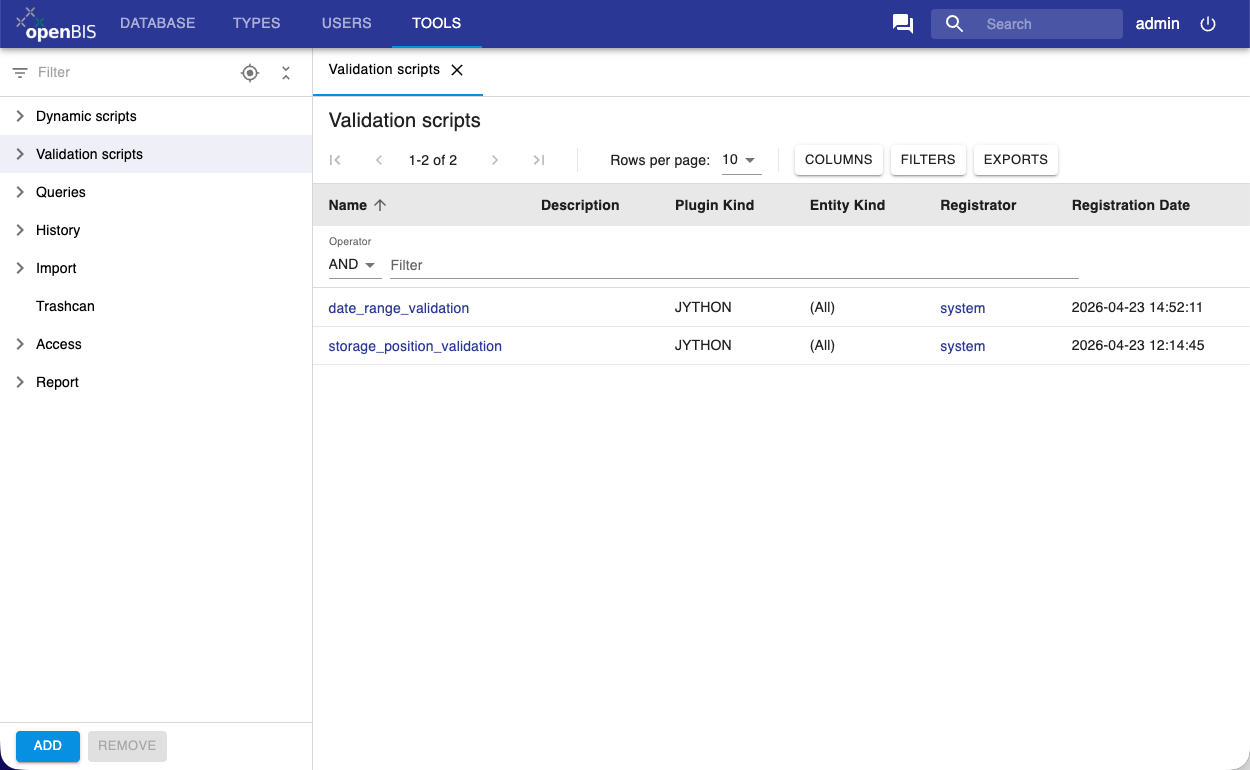
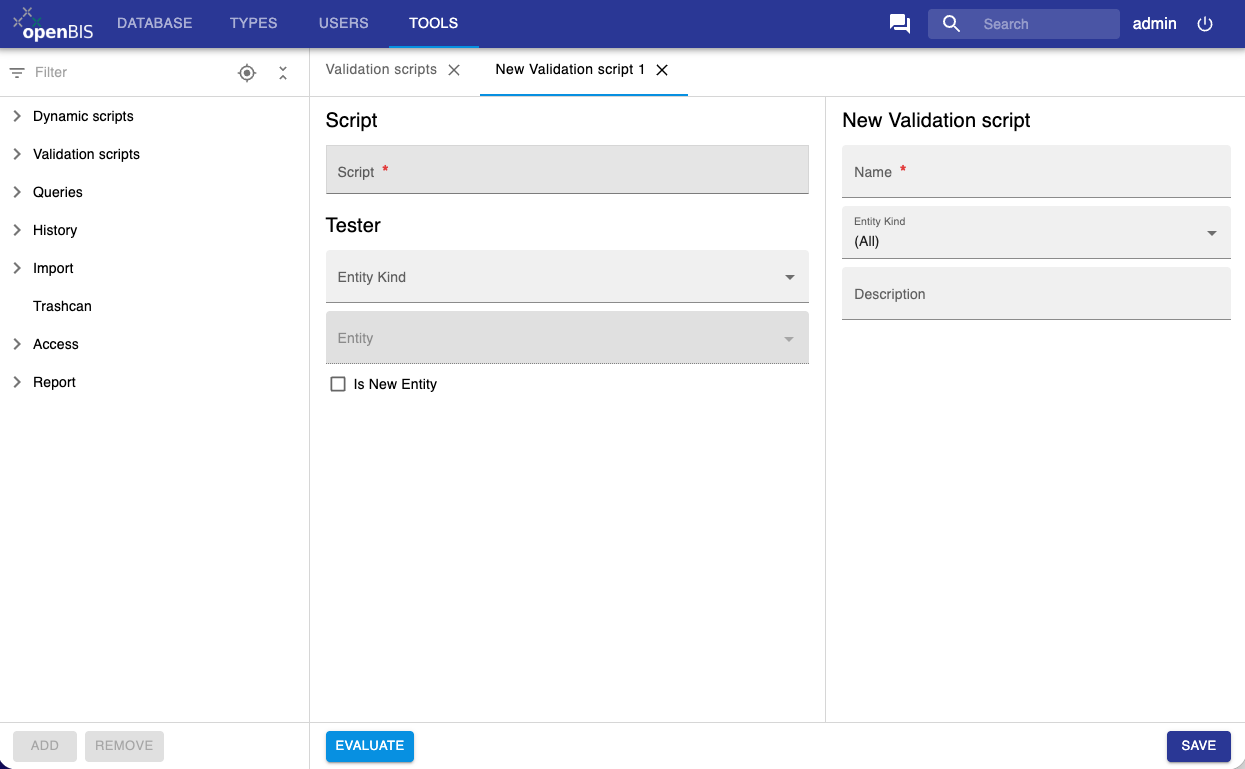
A new tab opens with different sections:
New Validation script:
Name: name of your script.
Entity Kind: the entity type for which the script will be used. Options are Collection, Dataset, Object. Can be left empty.
Description: you can provide a description of what the script does.
Script:
Script: write your script in this field.
Tester:
In this section you can test your script.
Entity kind: select an entity type on which you want to test your script. Options are Collection, Dataset, Object.
Entity: select a specific entity of that type on which you want to test your script.
Click Evaluate at the bottom of the page.
Script specification
The script should at least include the validate function, that takes two parameters. The first one is the entity being validated, and the second is the boolean stating whether it is a new entity (creation) or an existing one(update).
the function name should be ‘validate’. It will be called with two parameters.
the first argument is the entity. It will be the object implementing the IEntityAdaptor interface
the second argument is the boolean “isNewEntity”. It will be true if the entity is new.
The script should return None (or nothing) if the validation is successful and a string with an error message, if the validation fails.
Triggering Validation of other Entities
A plugin can specify that another entity needs to be validated as well.
For example, a change to a sample could require validation of its
children. The infrastructure can be informed of this dependency by
calling requestValidation with the entity that needs to be validated
as an argument.
Script example
Here is the example script that validates, that the newly created entity does not have any properties defined:
Basic Example
def validate(entity, isNew):
  if isNew:
    if not entity.properties() is None:
      return "It is not allowed to attach properties to new sample."
Triggering Example
def validate(entity, isNew):
  for s in entity.children():
    requestValidation(s)
When are validations performed
Validations are performed at the end of the transaction, not at the moment of the change. So if during some longer operation there are several updates to different entities, all of them are evaluated at the end, when all changes are available to the validation script.
Therefor it is possible to write for instance a dropbox that makes some updates that break validation temporarily, and still succeeds as long as the validations succeed after all the updates have been done.
Good practices
Validation scripts should be read-only.
In theory it is possible to edit the entity during the validation. This is a bad practice. Consider using Dynamic Properties if you want calculations being performed after the entity updates.
Think about performance
The plugins will be executed for every creation or update of entities of that type. This can affect the performance drastically if the plugin will be too heavy.